Farpak

Your Mac, live on your iPhone.

A 3D model of your MacBook that moves when yours does, with everything it’s doing underneath.
Coming soonto the App Store Free nearby. Remote from $3.99
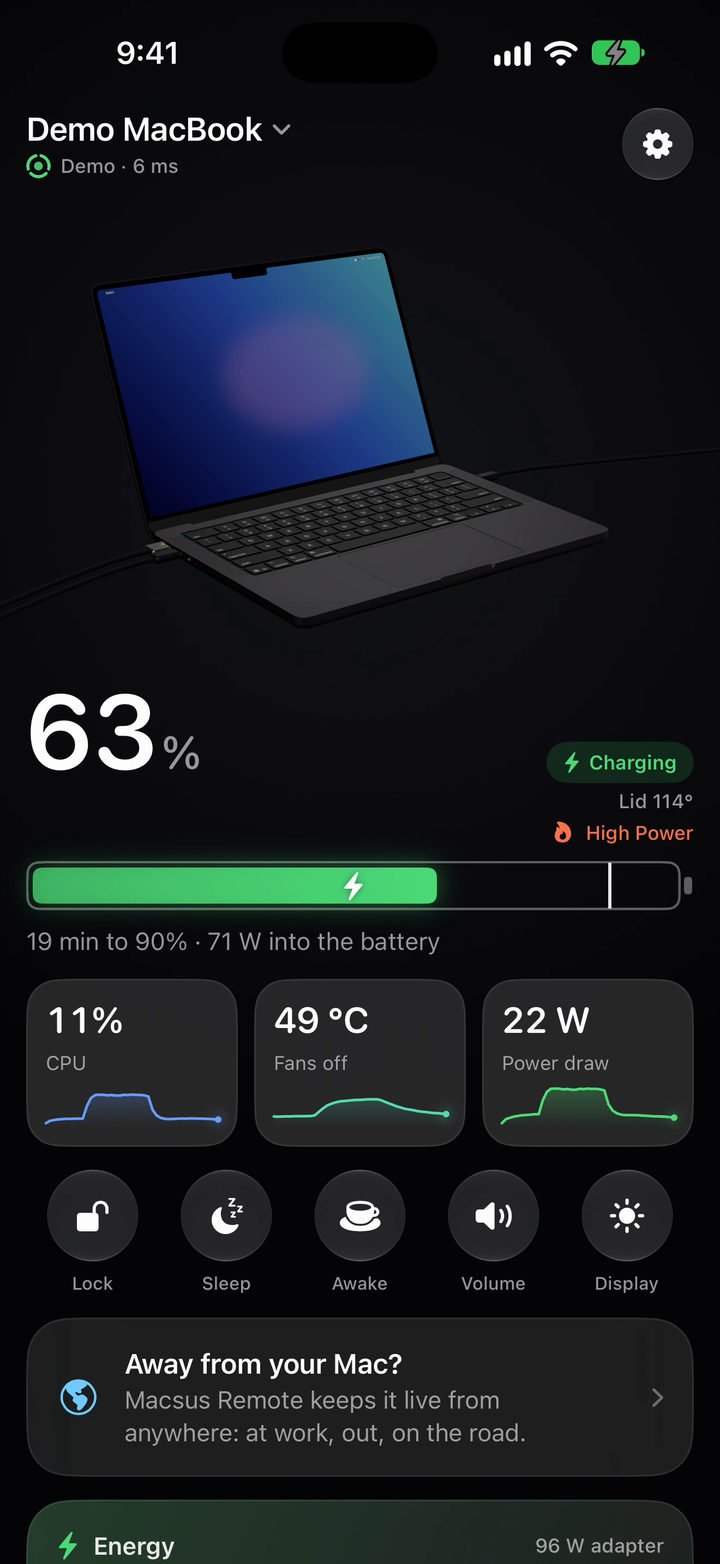
The Macsus home screen: a 3D MacBook with its lid open at 114 degrees and a charging cable plugged in, 63 percent and charging, 11 percent CPU, 49 degrees with the fans off, 22 watts of power draw.

Where every watt goes.

Watts from the charger, watts the Mac is using, and what’s going into the battery, live. Battery health, cycle count, time to full, your charge limit and Energy Mode, all in one place.
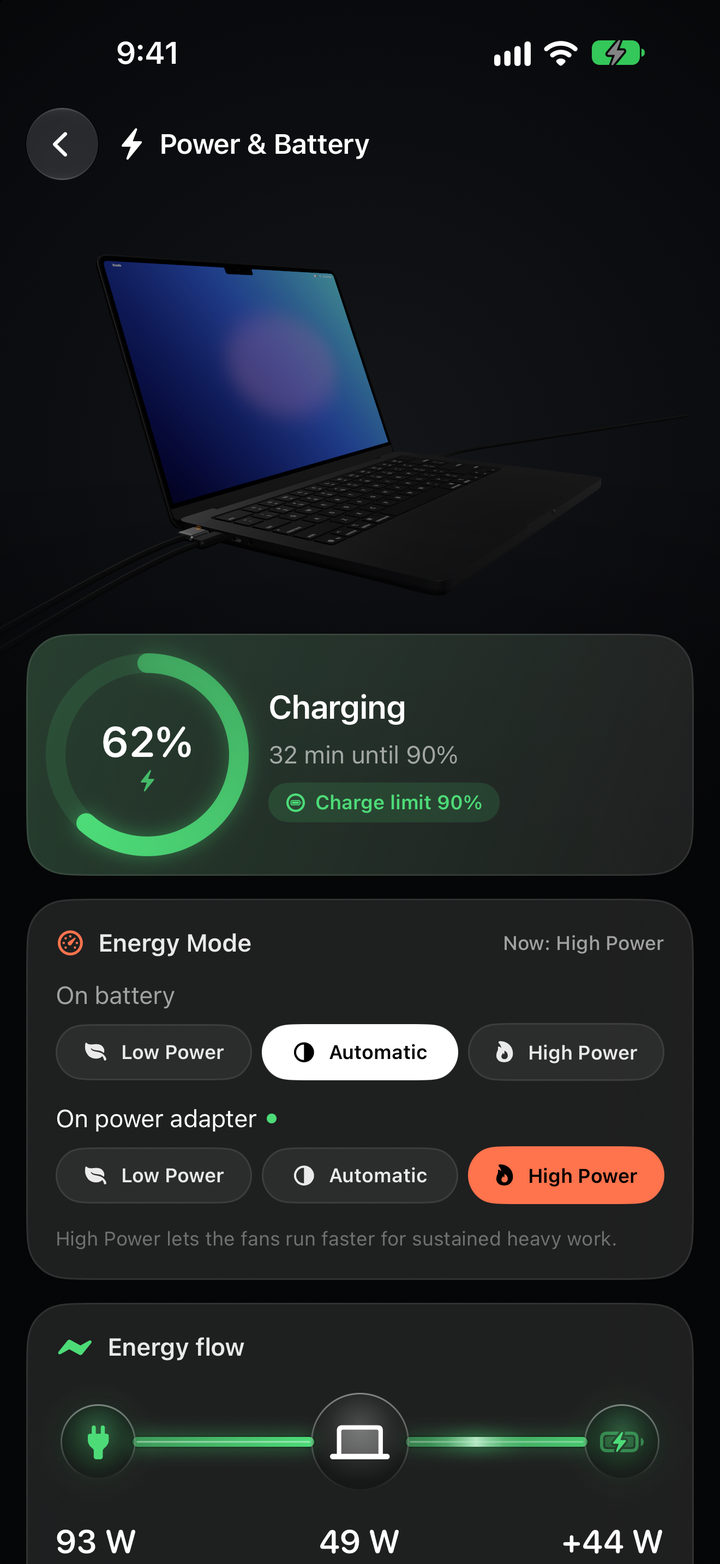
Power and Battery: 62 percent charging, 32 minutes until the 90 percent charge limit, Energy Mode set to High Power on the adapter, and the energy flow: 93 watts in, 49 watts used by the Mac, 44 watts into the battery.

Look inside.

Switch to the inside view and the case fades away: the chip at its temperature, heat running along the pipes as fast as the chip makes it, and each fan with its real speed beside it. On a MacBook Air there are no fans, so none turn.
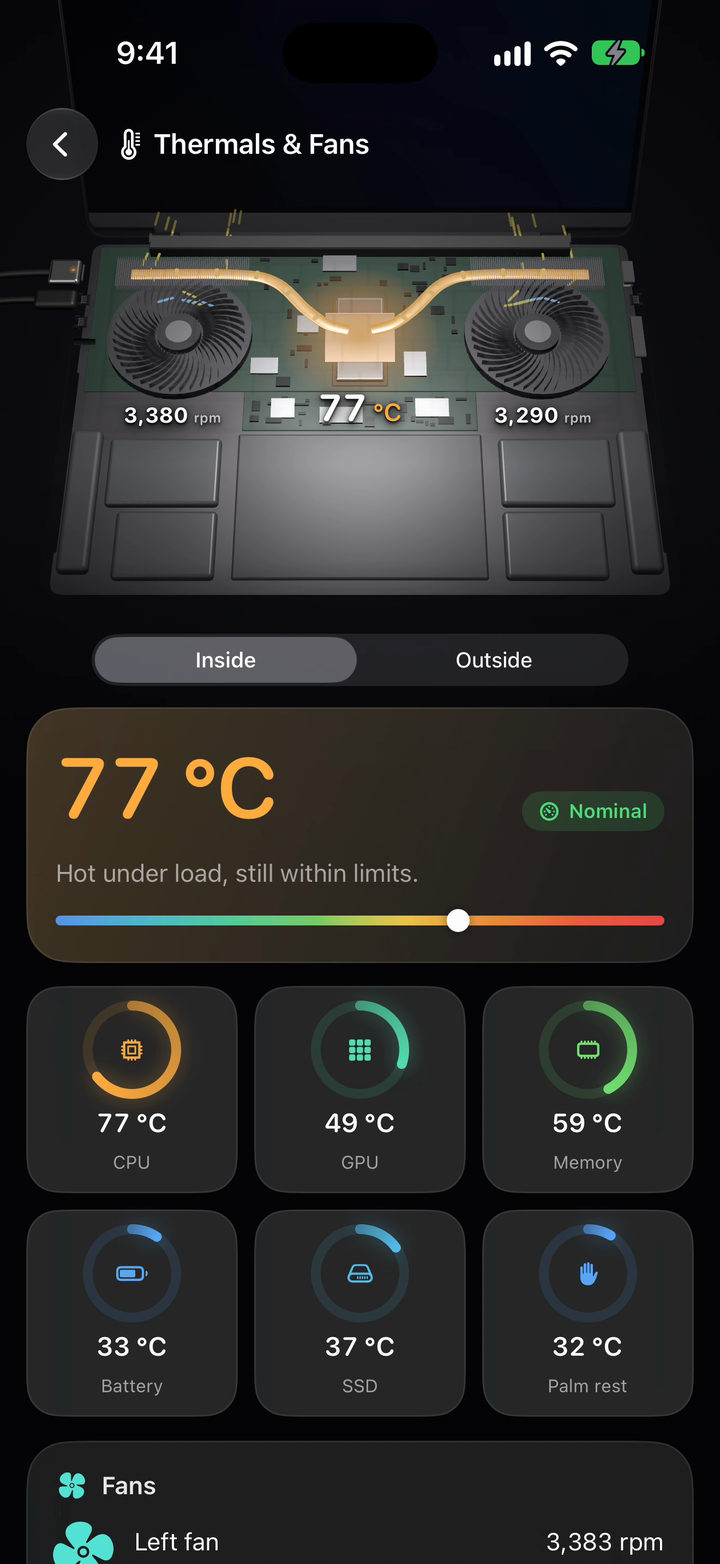
Thermals and Fans, inside view: the case faded away to show the logic board, the chip at 77 degrees with heat pipes glowing orange, and two fans at 3,380 and 3,290 rpm.

Every corner of it.

Nine sections, each one a closer look, and the 3D Mac turns to face whatever you open.

Processes

The apps using the most energy, CPU and memory, with the watts each one draws.
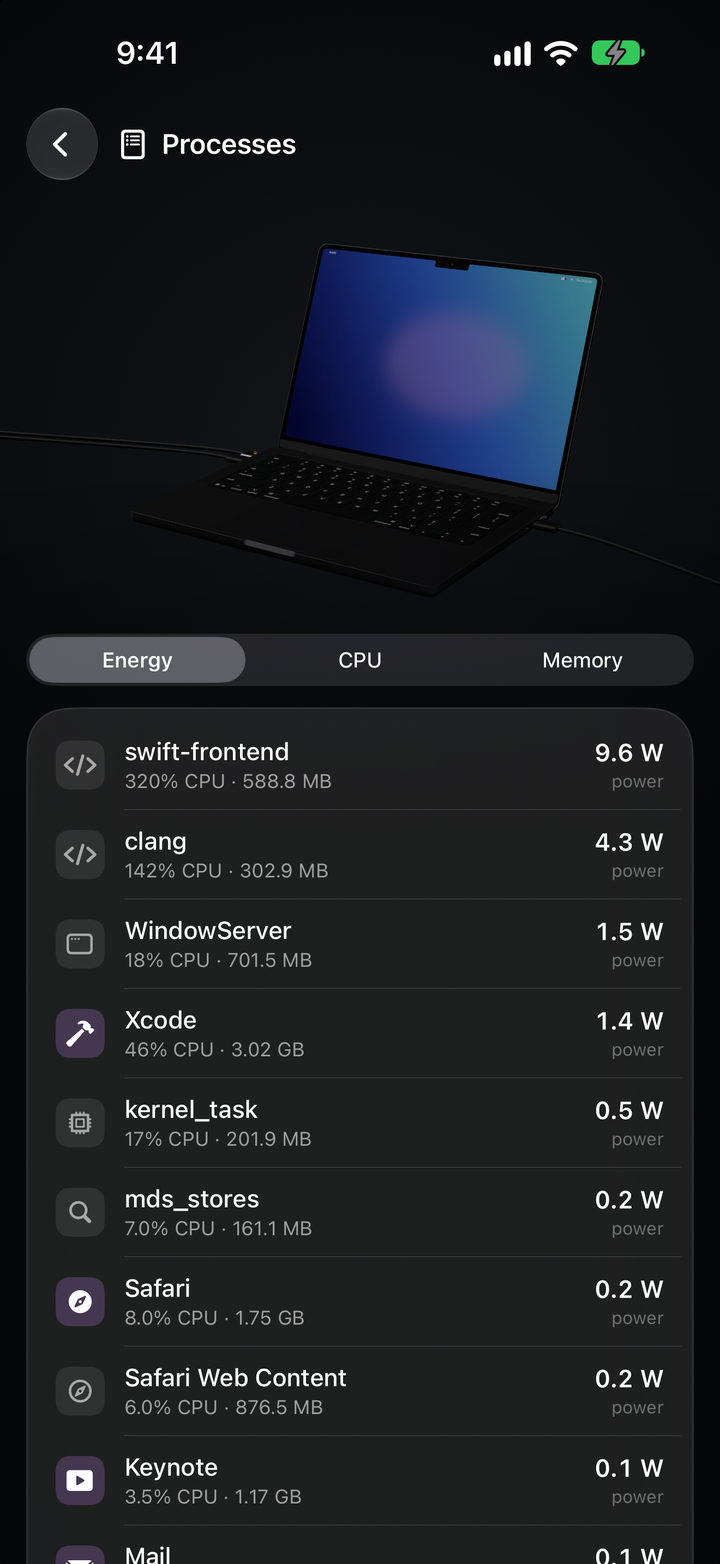
Processes sorted by energy: swift-frontend at 9.6 watts, clang at 4.3 watts, WindowServer, Xcode and more.

Ports & Devices

What’s plugged in where, at what speed, and the power going in or out of each port.
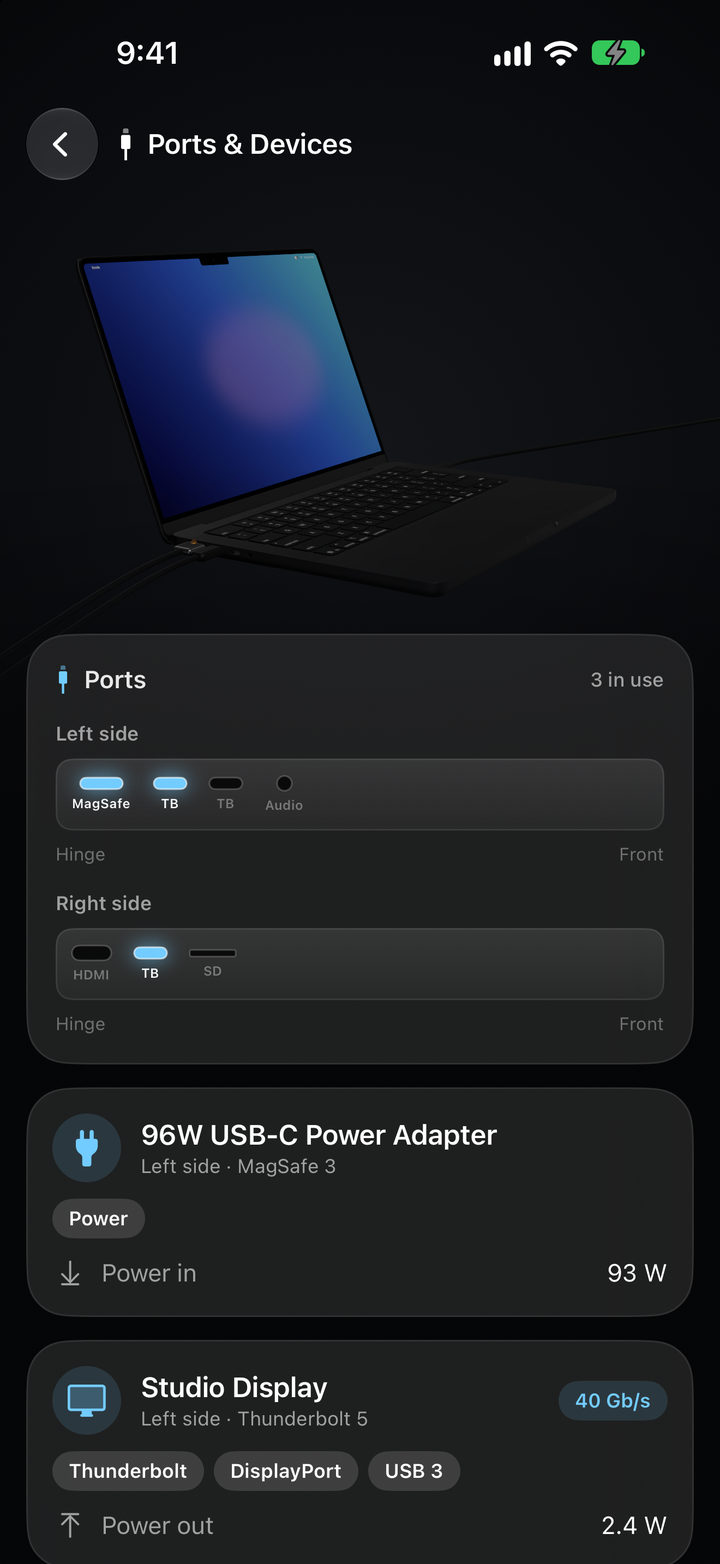
Ports and Devices: a map of both sides with MagSafe and Thunderbolt in use, a 96 watt power adapter bringing in 93 watts, and a Studio Display on Thunderbolt 5 at 40 gigabits per second.

Display & Sound

Brightness, keyboard backlight and volume, with sliders that move the real thing.
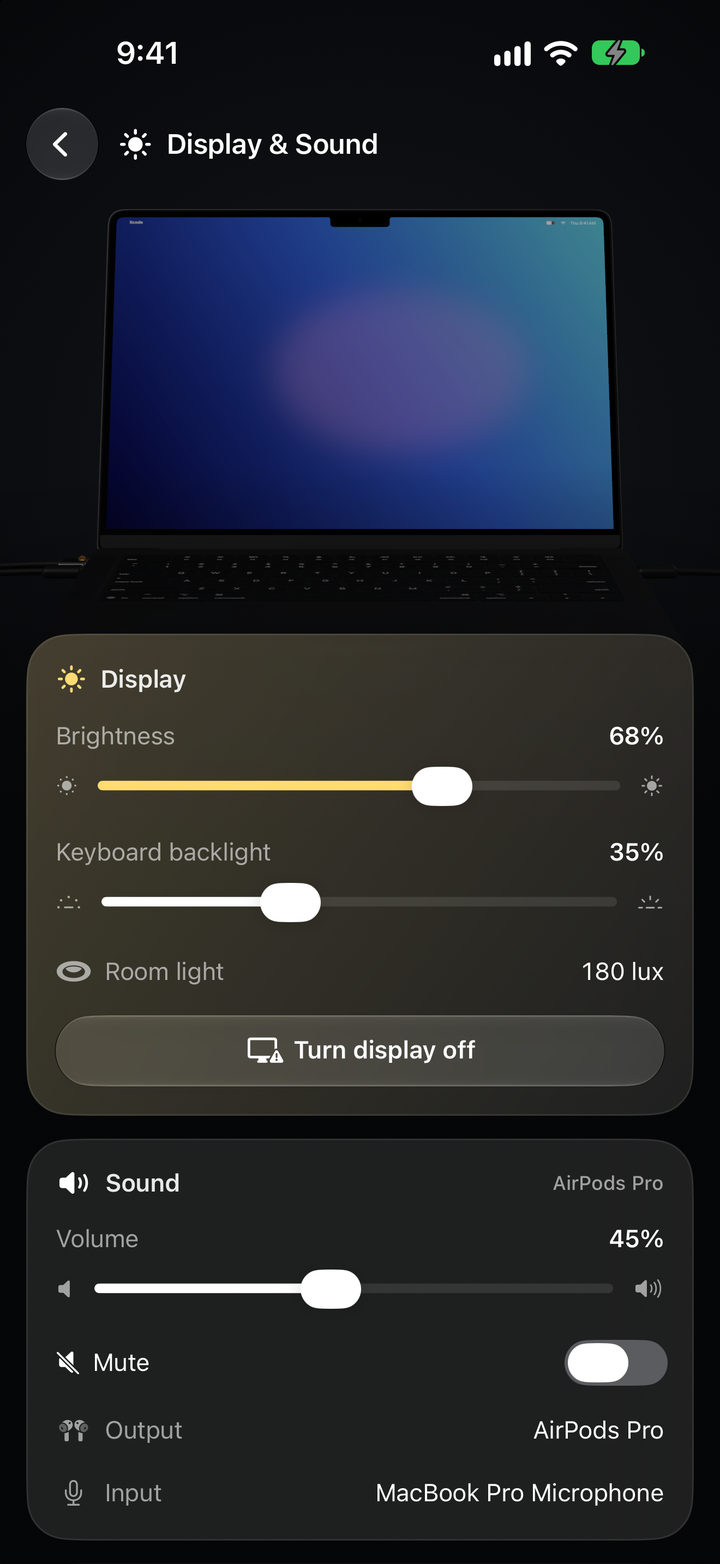
Display and Sound: brightness at 68 percent, keyboard backlight at 35 percent, room light 180 lux, volume at 45 percent through AirPods Pro.

Sleep & Activity

When it slept and woke over the last day, why it woke, and what’s keeping it awake.
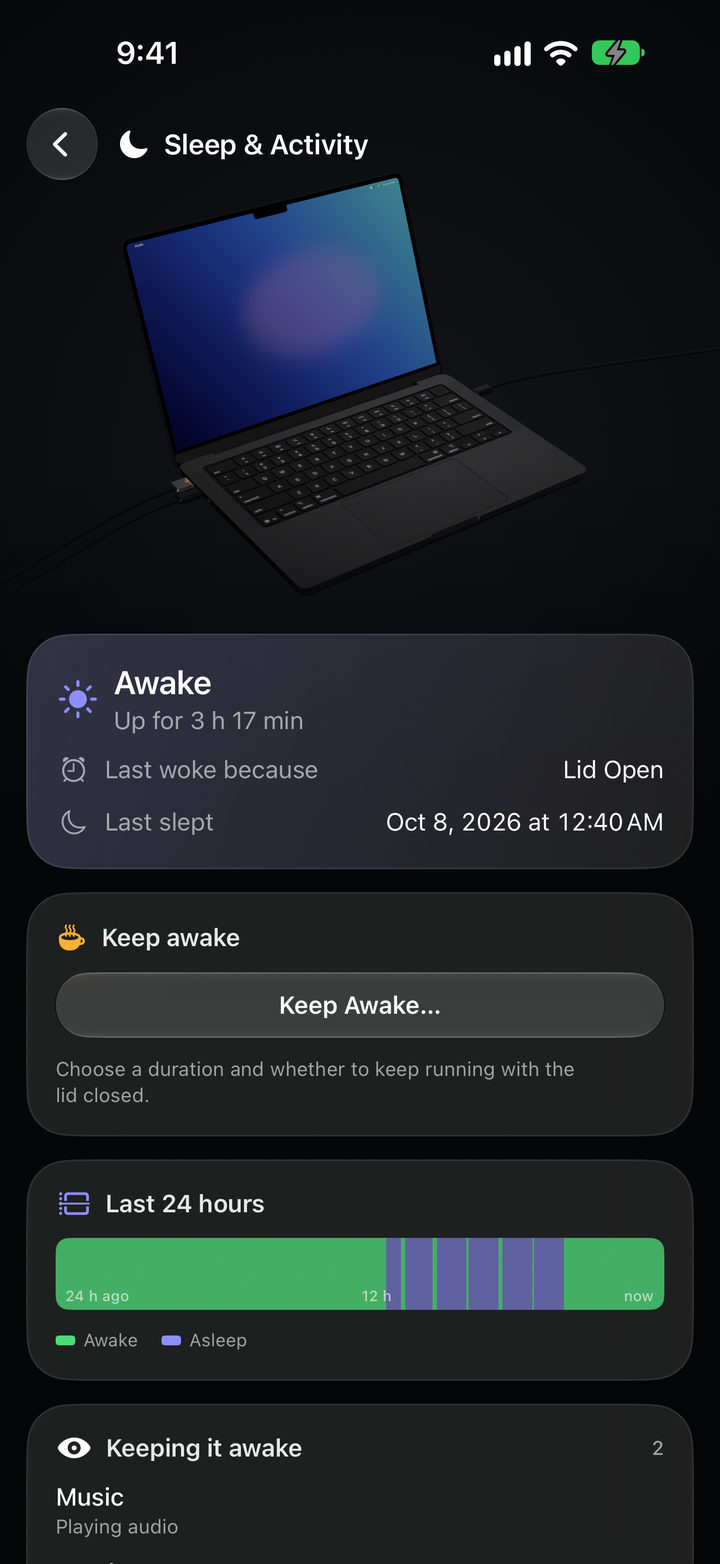
Sleep and Activity: awake, up for 3 hours 17 minutes, last woke because the lid opened, a 24 hour timeline of awake and asleep, and Music keeping it awake.

Network & Storage

Wi-Fi signal, live traffic, and how full every disk is.
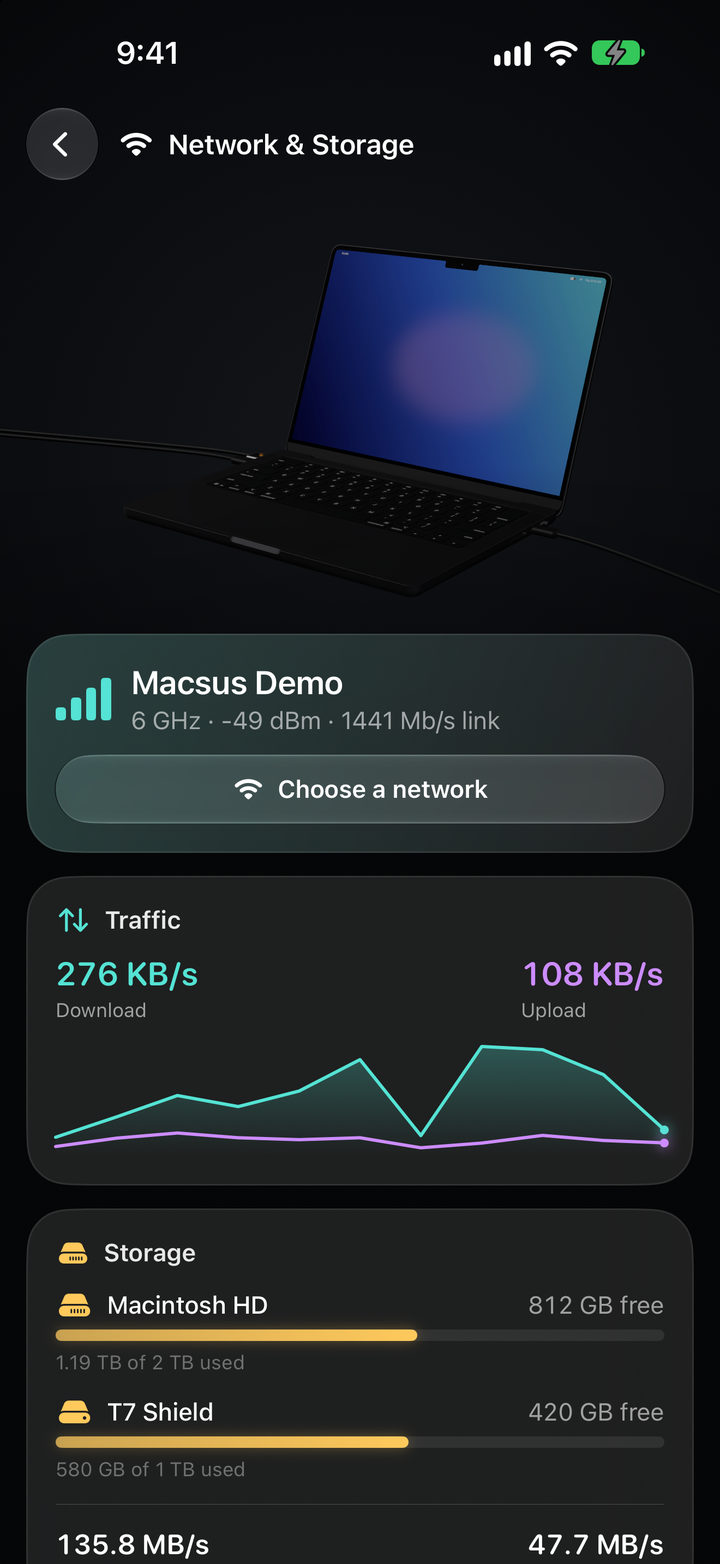
Network and Storage: Wi-Fi signal, live traffic at 276 kilobytes a second down and 108 up, Macintosh HD with 812 gigabytes free and an external T7 Shield with 420 free.

And it answers back.

Lock it, put it to sleep, keep it awake, set the volume and brightness, show a message on its screen, or quit an app that’s stuck. Quitting apps, restarting and shutting down ask for Face ID first.
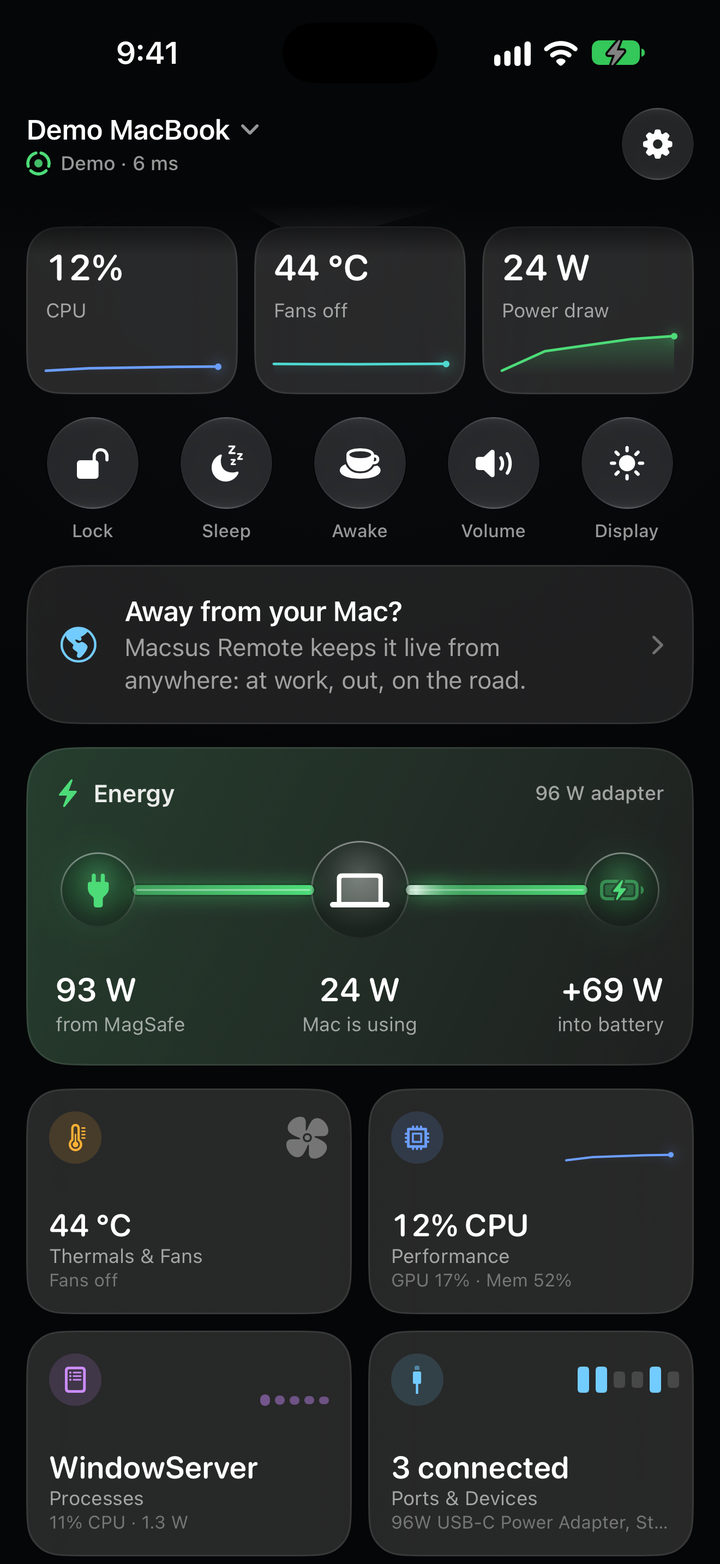
The home screen scrolled: CPU, temperature and power tiles, the Lock, Sleep, Awake, Volume and Display controls, and the energy flow from MagSafe to the Mac and battery.

It tells you when it matters.

Charged, unplugged, battery low, getting hot with the lid closed, done with a long build: worded plainly, quiet while you’re using the Mac yourself, end-to-end encrypted on the way. Turn on Guard and it tells you when it’s opened, unlocked or unplugged. Alerts come with Macsus Remote.
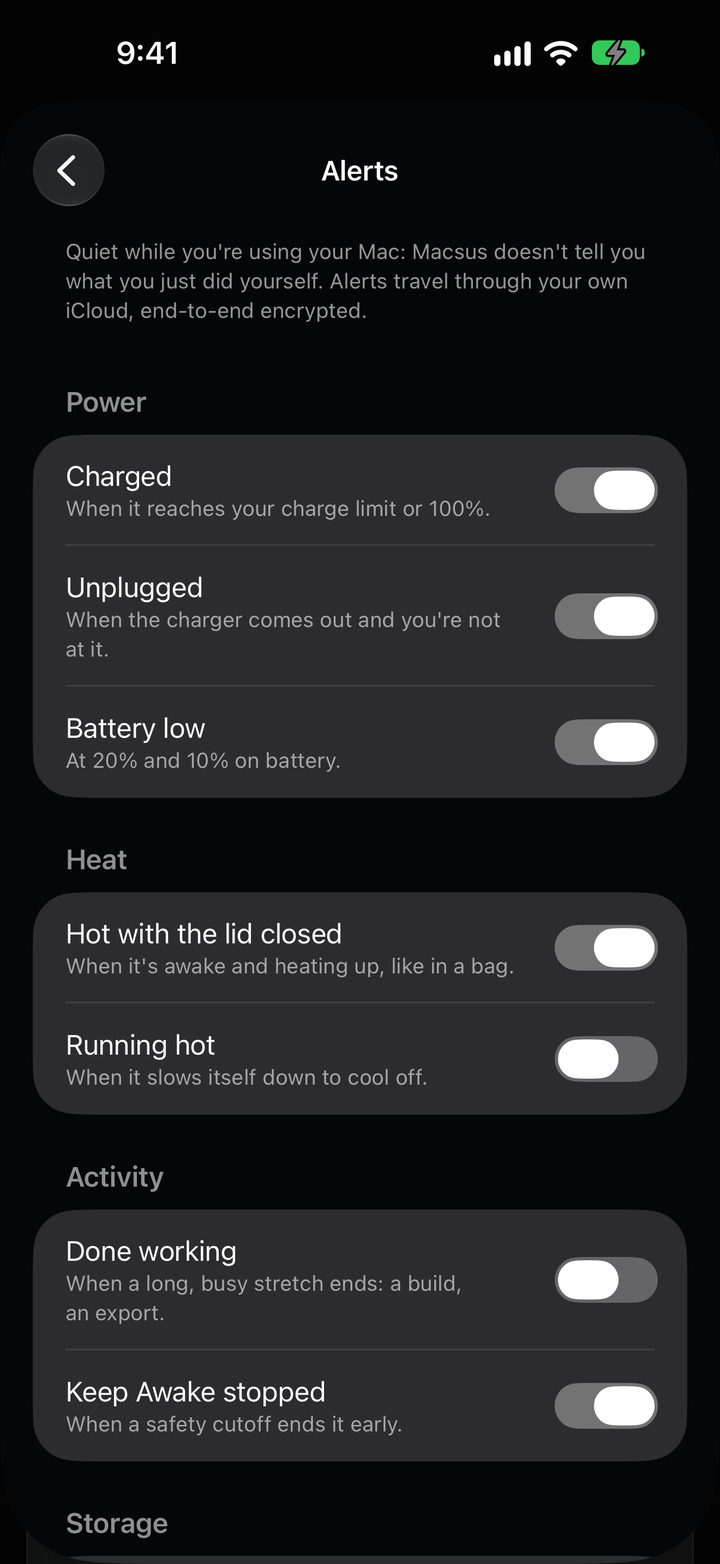

Settings, Alerts: Charged, Unplugged, Battery low, Hot with the lid closed and Keep Awake stopped turned on; Running hot and Done working off.

Nearby, it’s free. Everywhere else, Remote.

Everything above is free while your iPhone is near your Mac. Macsus Remote keeps it live from anywhere: at work, out, on the road. It goes straight to your Mac through its home router when it can, or through your own iCloud. Alerts come with it.

$3.99a month
$24.99a year
$59.99one time

Monthly and yearly start with a free week. Family Sharing included. Prices in US dollars; the App Store shows yours in your currency.

The Macsus home screen, with a card at the bottom: Away from your Mac? Macsus Remote keeps it live from anywhere: at work, out, on the road.

Yours, and only yours.

  • End-to-end encrypted.Nearby or away, only your iPhone and your Mac can read what passes between them.
  • No account, no analytics.There’s no server of ours in between, and Farpak never sees your Mac’s data.
  • Your Mac decides.Pairing needs your approval on the Mac, and its menu always shows when an iPhone is watching.
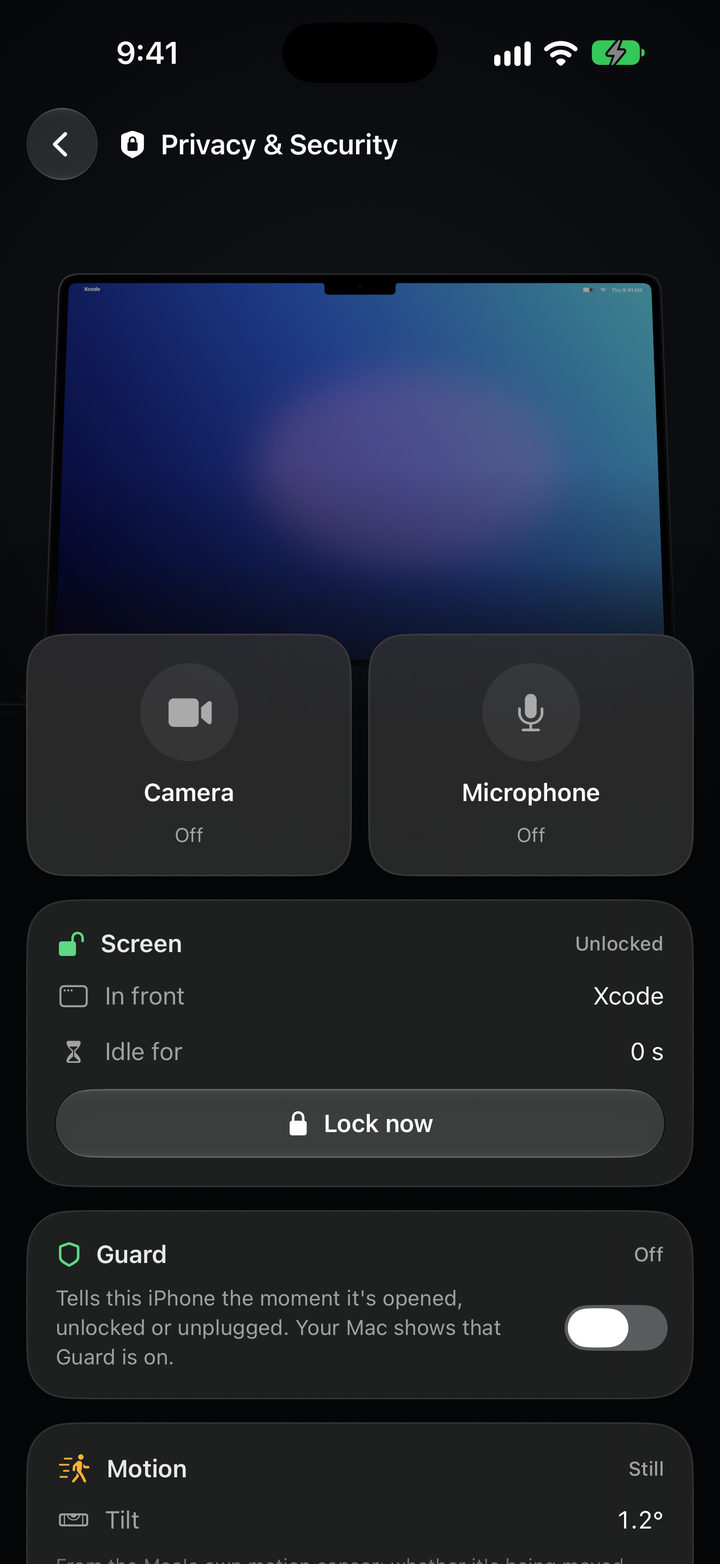
Privacy and Security: camera off, microphone off, the screen unlocked with Xcode in front, a Lock now button, and Guard, off.

Coming soon.

Macsus is in testing now. The iPhone app is on its way to the App Store, and the Mac app it pairs with will be a free download right here.

Macsus for iPhone

Coming soon to the App Store. Free, with Macsus Remote inside.

iOS 26 or later

Macsus for Mac

Coming soon to farpak.com. Free. Lives in the menu bar.

Apple silicon MacBook · macOS 15 or later

The live lid angle needs a Mac with a lid angle sensor, and tilt an M2 or newer Mac on macOS 27; on other Macs the model shows the lid open or closed.

Want the answer on the Mac itself? Updraft tells you on your Mac why it’s hot or loud; Macsus puts the whole Mac on your iPhone.